
Testing access being prepared
Your projects.
Your space.
Always within reach.
Craftinery is a mobile app that keeps your handmade projects, stages, materials, tools, notes, photos, instruction files and work time in one place. It helps you return to a paused project exactly where you left it.
Recruitment for the first group is closed. Invited testers will receive access instructions by email.
WHY CRAFTINERY
The pattern is in one place, the photos in another, and the project is waiting
Your progress photo is in your phone gallery, the pattern is in Downloads, and the yarn colour is buried in a note or written on a paper label. When you return to a project a few days later, the first task is remembering where you stopped and what was meant to come next.
Craftinery keeps that information with the project it belongs to. Its stages, notes, materials, tools, photos, instruction files and recorded work time are all there when you open it again.
Return without guessing
Stages, notes and your latest session remind you where you left off.
Every project has its own place
Photos, files and material details are not scattered across your phone.
Several projects at once
Folders, statuses and search help you find work that is active, paused or complete.
Know how long the work took
Sessions record the actual time spent on a project, even when it takes shape over several days.
CRAFTINERY APP IN PRACTICE
Your projects, supplies, plans and work time in one place
In Craftinery, you can start with a technique or template, plan work in the calendar, keep track of materials in Inventory and return to a file during an active session. Stages, photos, notes, total project time and time by item stay together.
Projects and where you left off
Stages, items, independent progress for each copy, pinned notes and a resume point help you continue the exact part of the work you paused.
Techniques and your own templates
Crochet, knitting, sewing, embroidery, gardening and other techniques. Choose organisational templates or create your own stages, items and statuses.
Counters and actual work time
Count rows, rounds or repetitions. Use one session for several projects, keep work separate from breaks and correct earlier time records.
Inventory and storage locations
Record owned materials and tools, quantities, lots and storage locations. Check available and assigned stock, move supplies and review their history.
Project supplies and Shopping
Assign stock, record actual consumption and return leftovers and reusable tools. Add shortages to shopping lists; receive partial deliveries into Inventory after confirmation.
Codes and label reading
Scan product barcodes and QR labels for your own storage locations. Local OCR suggests label fields for you to review. Online lookup of an unknown code cannot guarantee every product will be found.
Calendar and reminders
Plan one-off and recurring entries and review each day’s work history. Break and planned-end reminders do not automatically end a session; delivery also depends on Android.
File reader and PDF annotations
Read PDF, TXT, DOC and DOCX files with a project or item. Resume a PDF at its saved page, zoom and vertical position. Annotations are an app layer, not edits to the original pattern; Word previews may be simplified.
Widget, overlay and optional voice
Control the session and its selected counter outside the project screen. Polish and English voice commands run locally after a model download and explicit microphone activation; this feature does not save or upload recordings.
Notes, photos and processes
Keep note revisions, a journal and progress photos. Create a simple MP4 from photos. Record drying or blocking as a separate process, not as hours of active work.
Inspiration and personal libraries
Collect ideas separately from projects, including through Android sharing. Use swatches, measurements, a personal garden plan and stitch charts within their supported scope.
Costing and exports
Combine work time and your rate with known consumed-material costs and extra expenses. Export projects to PDF and supported data to XLSX. Cost summaries are not accounting.
Phone, tablet and backups
Sync data and files on the same account, explicitly hand over a session and resolve conflicts. Keep independent backups. Offline access requires renewed verification within 24 hours.
Appearance, languages and Help
Polish and English interfaces, themes and readability settings. Optionally translate your own PL ↔ EN content on-device. Built-in Help covers 22 topics; find the full guide below.
REAL APP SCREENS
See Craftinery App in action
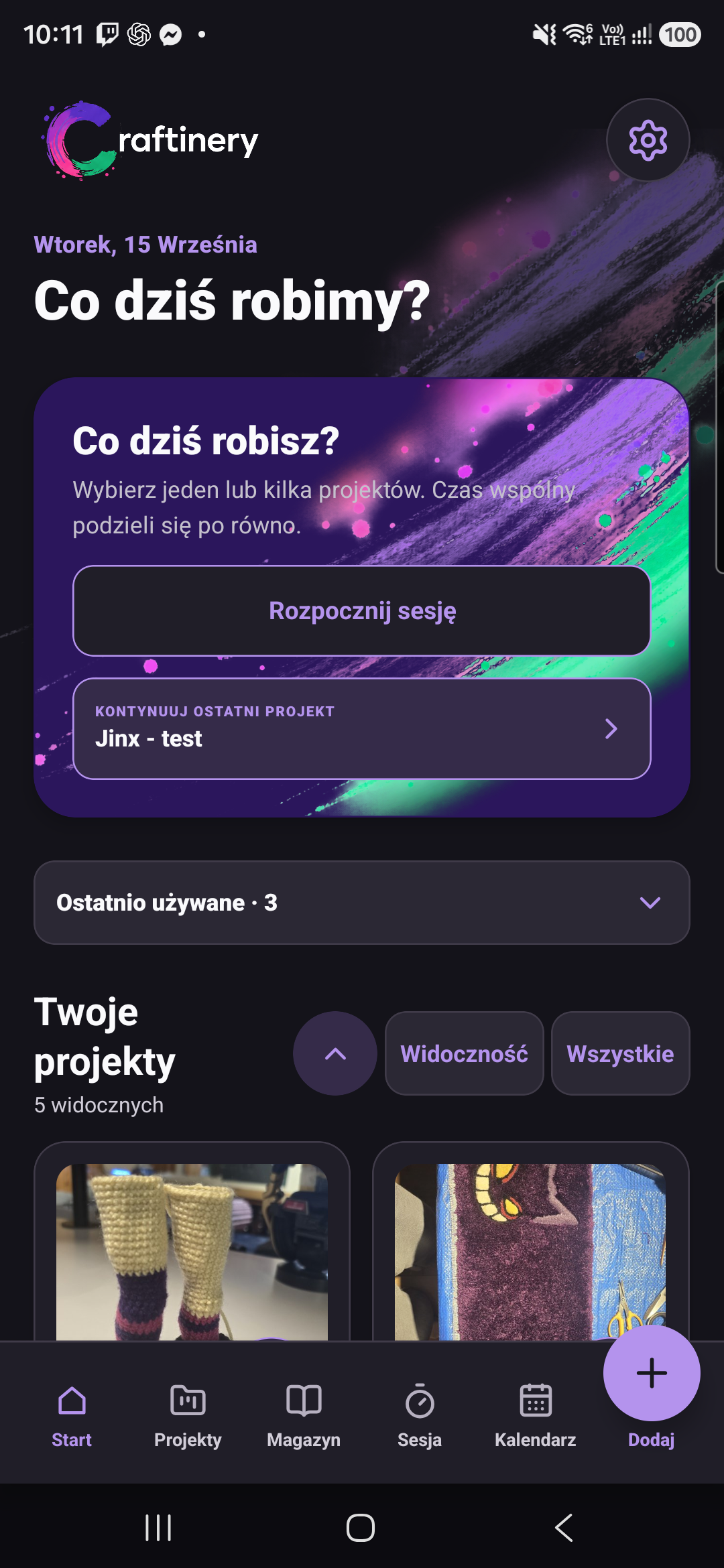
Real screens from the current Android version: projects, work time, photos, Inventory, storage locations, tools and Calendar. These examples show the Polish interface; the app also supports English.
1 / 10
TWO SEPARATE PRODUCTS
Craftinery App: testing access being prepared. Craftinery Lab is planned.
Craftinery App
Craftinery App
An Android app for managing craft projects. Recruitment for the first group is closed; invited testers will receive access instructions by email.
Android · testing access being prepared
Craftinery Lab
Craftinery Lab
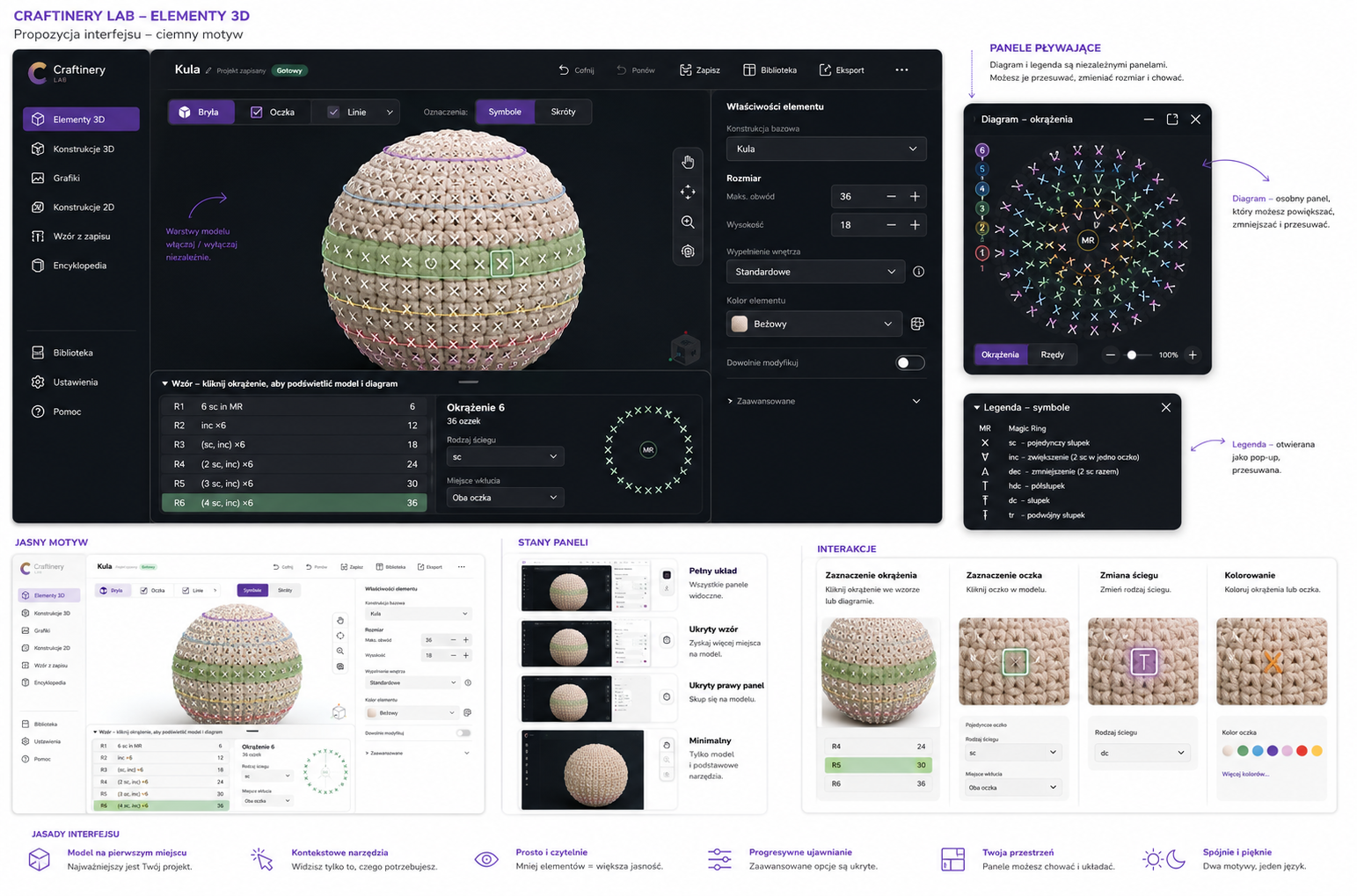
A separate, planned product for designing and developing original craft ideas before you start making them.
Planned product
 CONCEPT VISUALISATION
CRAFTINERY TESTING
Recruitment for the first testing group is closed
I’m preparing access to Craftinery on Android. Invited testers will receive an email with the installation link and getting-started instructions.
01
First group
Applications for this round are closed. Existing applicant data and consents remain unchanged.
02
Access being prepared
Invited testers will receive the next steps by email. Testing and the public launch have not been announced as started.
03
Real work and feedback
Testing focuses on your actual projects and feedback about what works, gets in the way or feels unclear.
04
Ongoing development
Craftinery continues beyond this round. Explore its current features and guide without applying for closed tests.

FAQ
Frequently asked questions
Is Craftinery App available yet?
Access to the first Android tests is being prepared. Recruitment for that group is closed; invited testers will receive a separate email with installation and getting-started instructions. Testing and the public launch have not been announced as started.
Can I still apply for the first group?
No. Recruitment for the first group is closed. Interest in the app’s ongoing development is separate and does not give you a place in this round.
Does my earlier application guarantee a place?
No. The first group is limited. Signing up and confirming an address do not constitute an invitation; invited testers will receive the next steps separately by email.
Which devices are included in the first tests?
Android phones and tablets. iOS, desktop and browser versions of App are not part of this stage.
How are Craftinery App and Craftinery Lab different?
App manages projects, supplies, files and work. Access to its tests is being prepared. Lab is a separate, planned product for designing ideas.
Where is the full guide?
Built-in Help has 22 Polish and English topics. The website guide has 32 searchable topics, from a first project to Inventory, voice and backups.
WHAT’S NEXT
Interested in Craftinery?
Recruitment for the first group is closed. The list for people interested in the app’s development is a separate sign-up, not an application for this round or a guarantee of a testing place.
If you do not receive an email, contact hello@craftinery.com.